PaperNest phone walkthrough
PaperNest phone walkthrough
Watch the MP4 · Captions · Poster
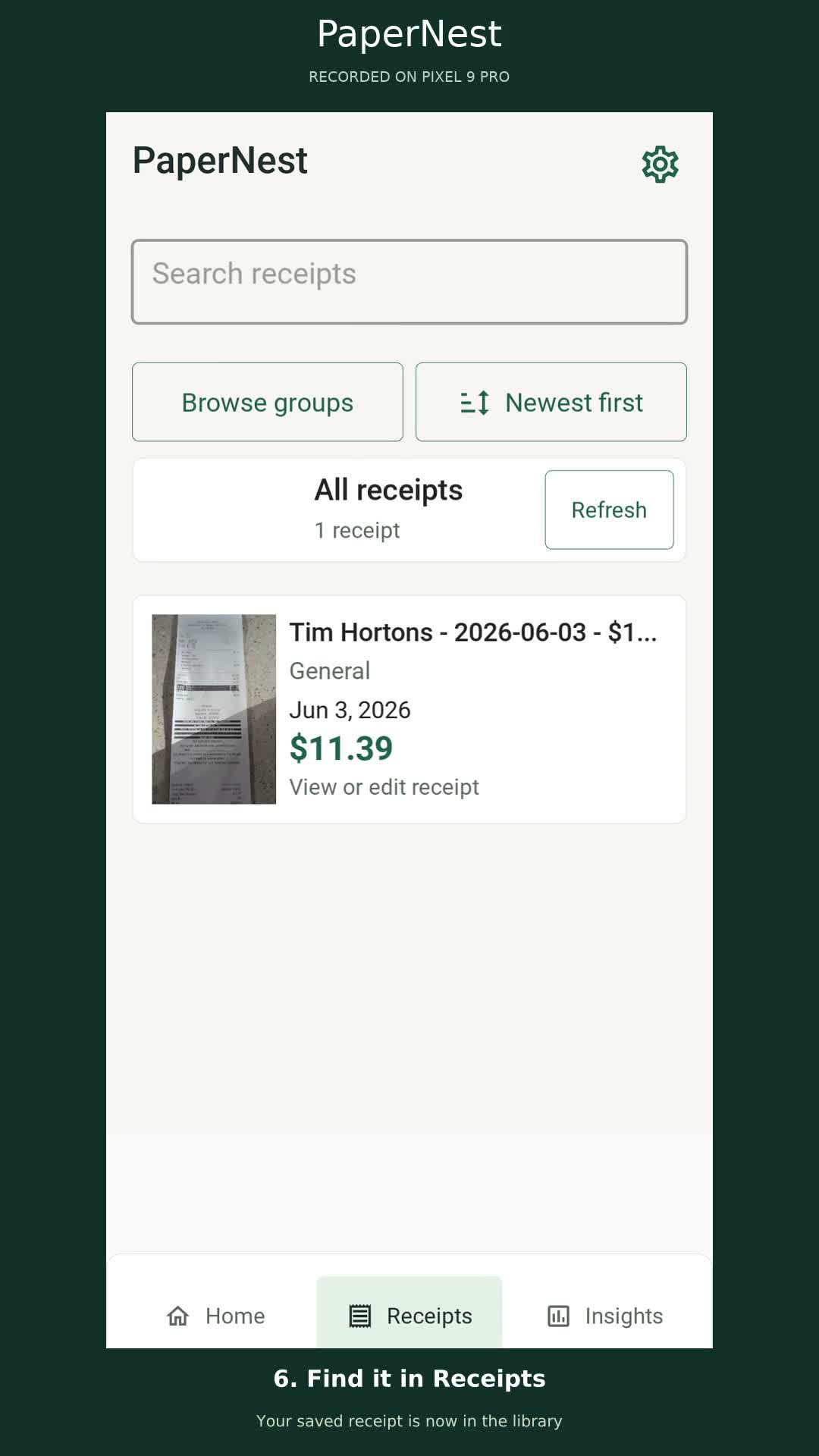
Recorded on the physical Google Pixel 9 Pro running the installed PaperNest Android app on October 7, 2026. Portrait 1080×1920, 30 fps, H.264 MP4, 90 seconds. Step captions are embedded in the picture; the video has no audio.
The walkthrough shows Home, Android file import, real on-device OCR, reviewing the receipt image, confirming its total, saving, opening the original from Receipts, merchant search, and selecting This Year in Insights.
The sample is tests/TestRecipts/2026-06-03_11.39_Tim_Hortons.jpeg:
June 3, 2026, $11.39. Its date is outside the current month, so it appears in the
yearly total and recent receipts while the monthly total remains zero.
Five screen-recorded chapters are joined with captions and brief holds. Android’s status and gesture bars are cropped, and captions sit outside the app screen. The demo entries and staged input file were removed after recording; the empty library was verified. Application source was unchanged.
Validation: inspected chapter screenshots and rendered frames, verified the 1080×1920 / 30 fps output, and decoded the complete MP4 with FFmpeg without errors.