PaperNest improvement and verification report
PaperNest improvement and verification report
Work date: 2026-10-06. Existing Python/Kivy/KivyMD application retained.
Physical Pixel 9 Pro verification is recorded in Android verification.
The final debug APK is installed on the phone;
its runtime source is 8c61a72. SHA-256:
178a12c4f2f590662248e3b76796d7b8c48472e1431c9f1d54754a423c2c99a3.
Architecture and workflow
ReceiptTrackerApp
  └─ ReceiptRoot: Home / Receipts / Insights; capture from Home
       ├─ HomeScreen: monthly summary, recent receipts
       ├─ AddReceiptScreen + ReceiptDraftManager: import/capture, scan, review, save
       ├─ BatchReviewScreen: existing batch review/editor
       ├─ GalleryScreen: text search, sort, photos, groups/year/month
       └─ TimelineScreen: date/group reporting and export
            ↓
       ReceiptService: validation and receipt workflows
       ├─ ReceiptRepository: SQLite and existing additive migrations
       ├─ OCRService: ML Kit on Android, Tesseract on desktop, parsing/evidence
       ├─ ImageProcessingService: existing fallback pipelines
       ├─ ImageStorageService: originals and worker-generated cached previews
       └─ CsvExportService: existing exports
Before: launch into capture → choose image → scan → review/edit → save → select group/year/month to browse. Timeline offered date-range reporting but no global search.
After: Home summary/recent receipts → scan/import → immediate preview and background recognition → detected/uncertain/manually edited field labels → edit/save → Home, searchable Receipts, or date/group Insights. Full images remain available for zoom/export. Back returns through group levels or Home, with dialogs retaining priority and drafts kept.
Visual evidence
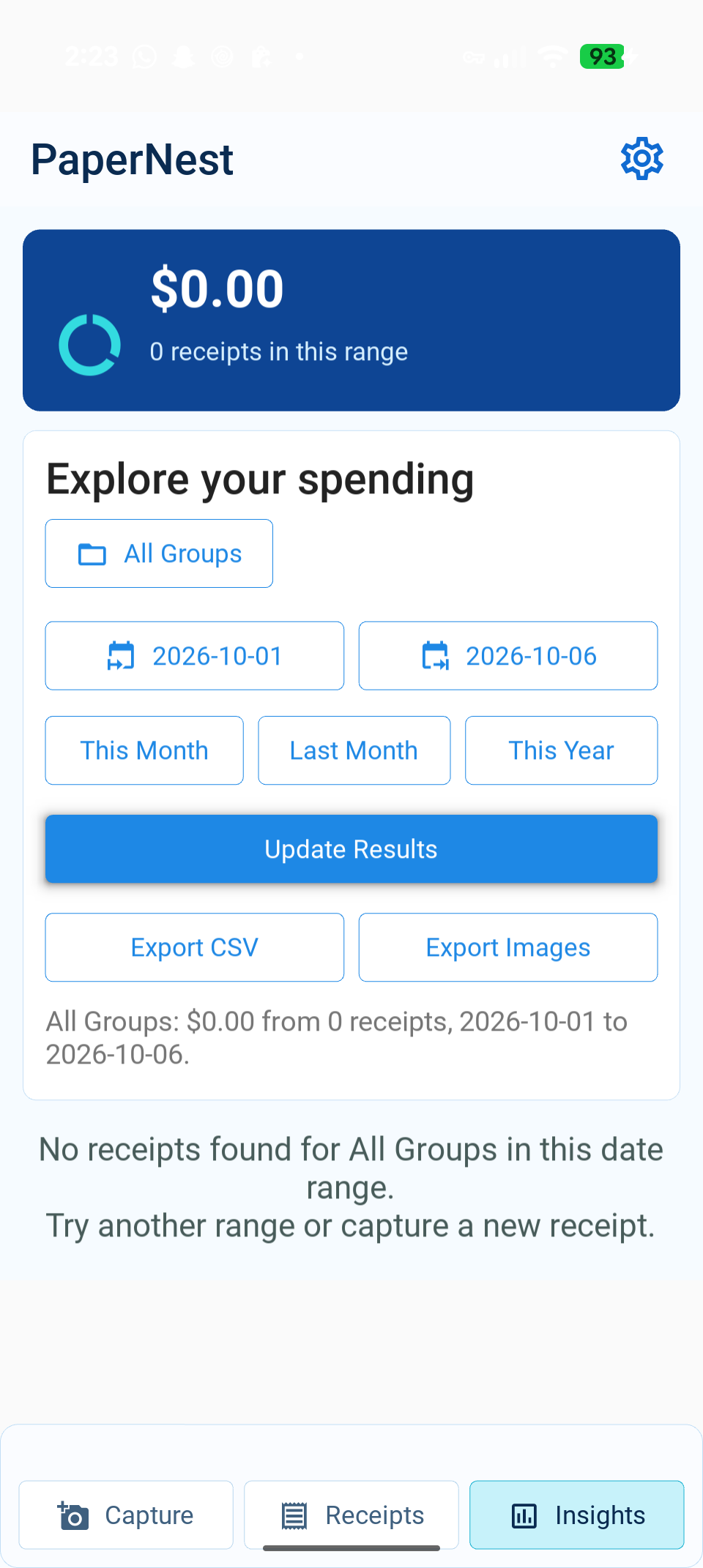
| Before on Pixel | After on Pixel |
|---|---|
| Capture-first launch | Home summary and recent receipt |
| Group-first receipt browsing | Search, clear action and keyboard |
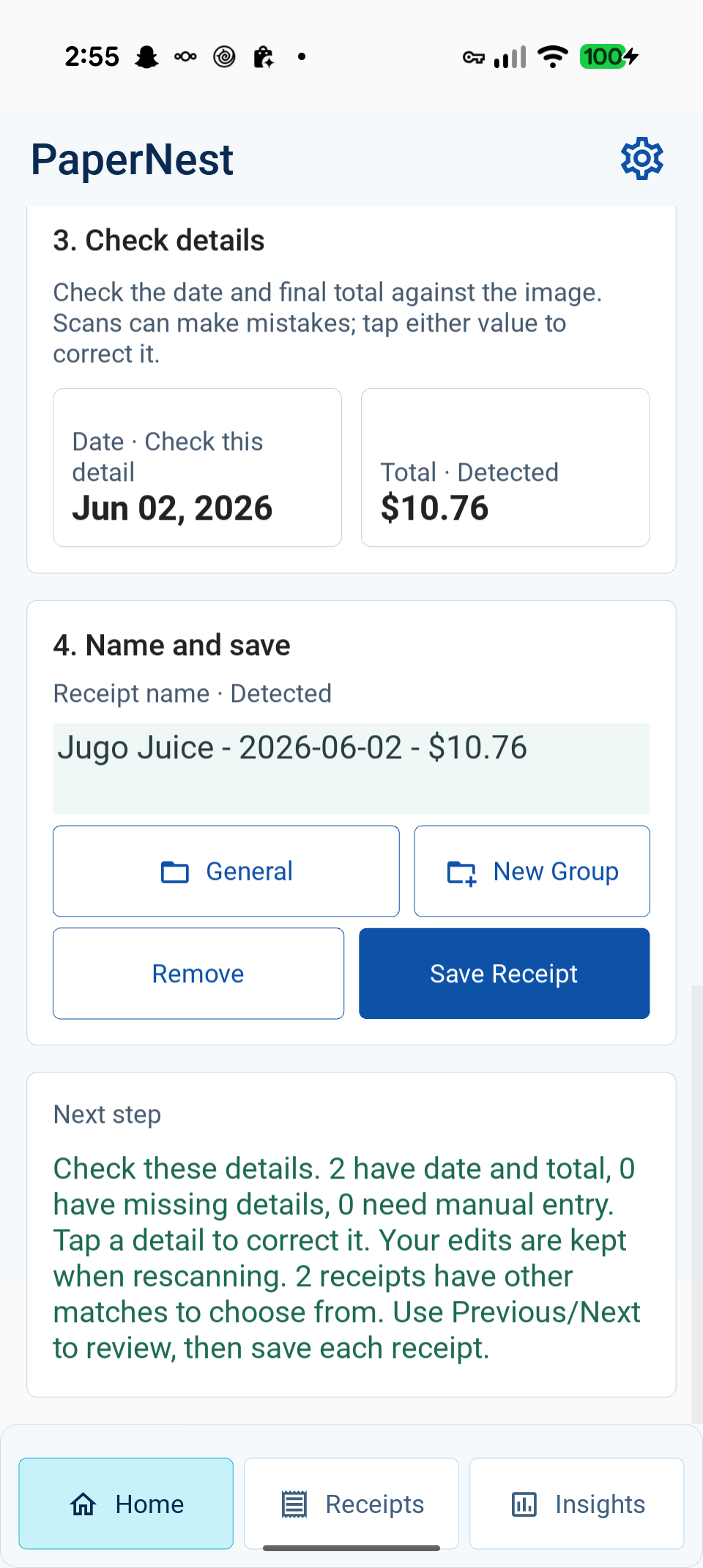
| Original Insights | OCR review with field provenance |
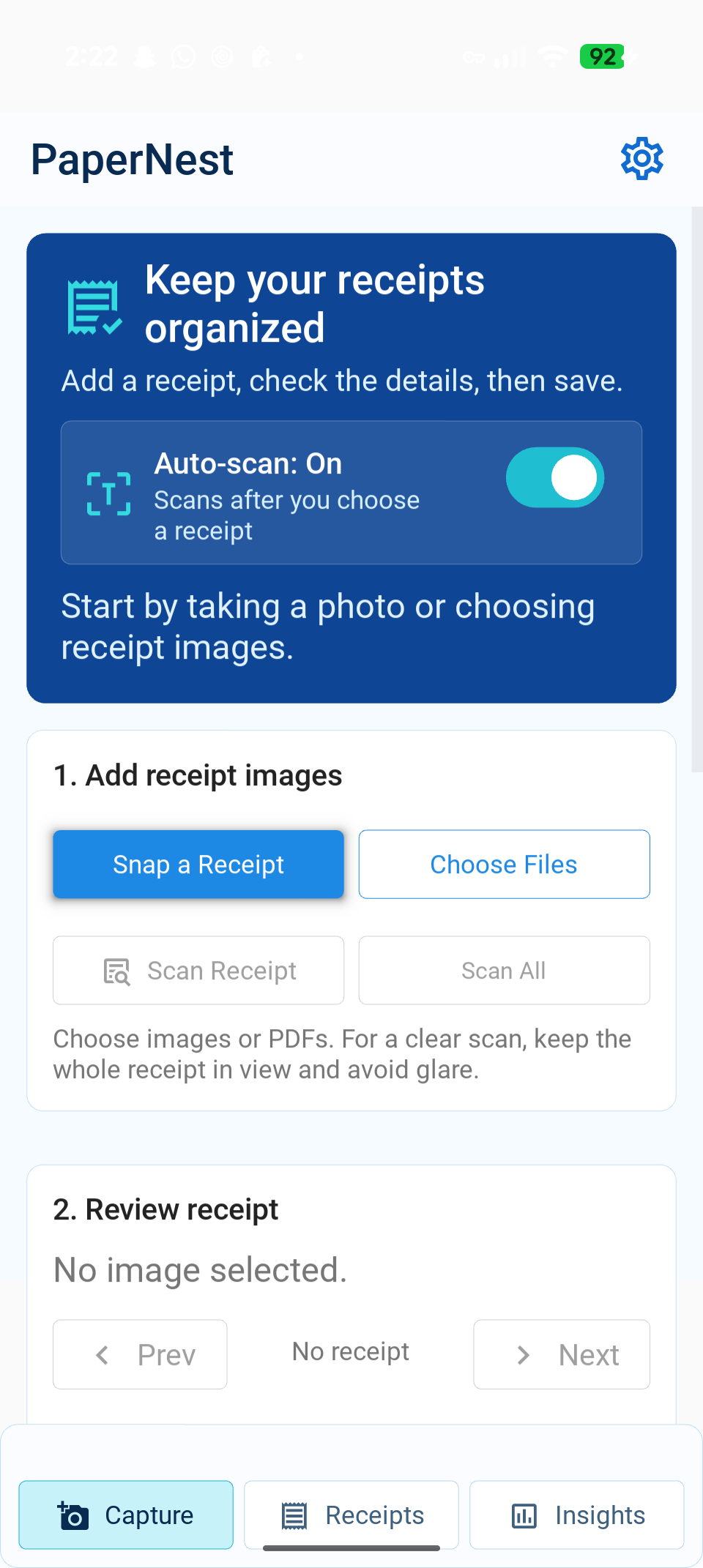
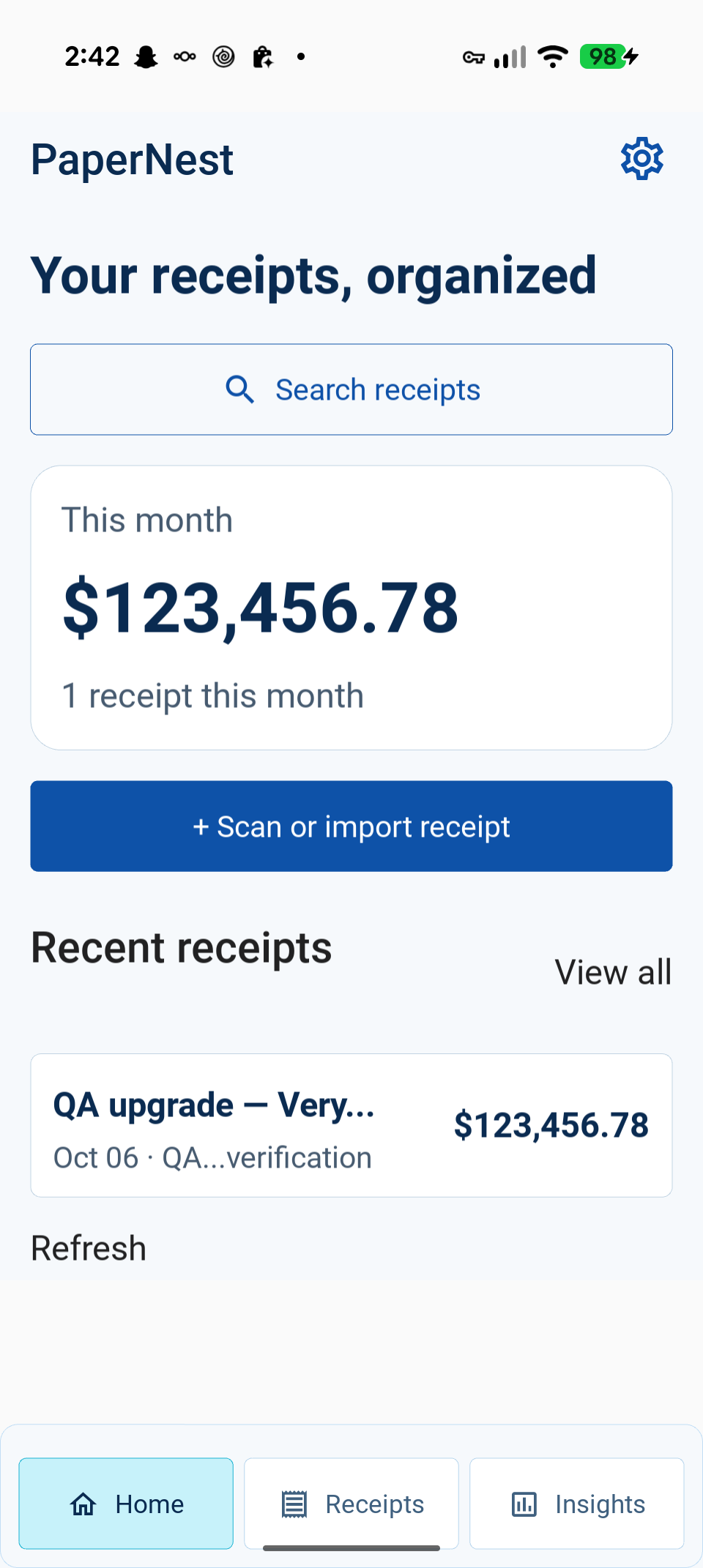
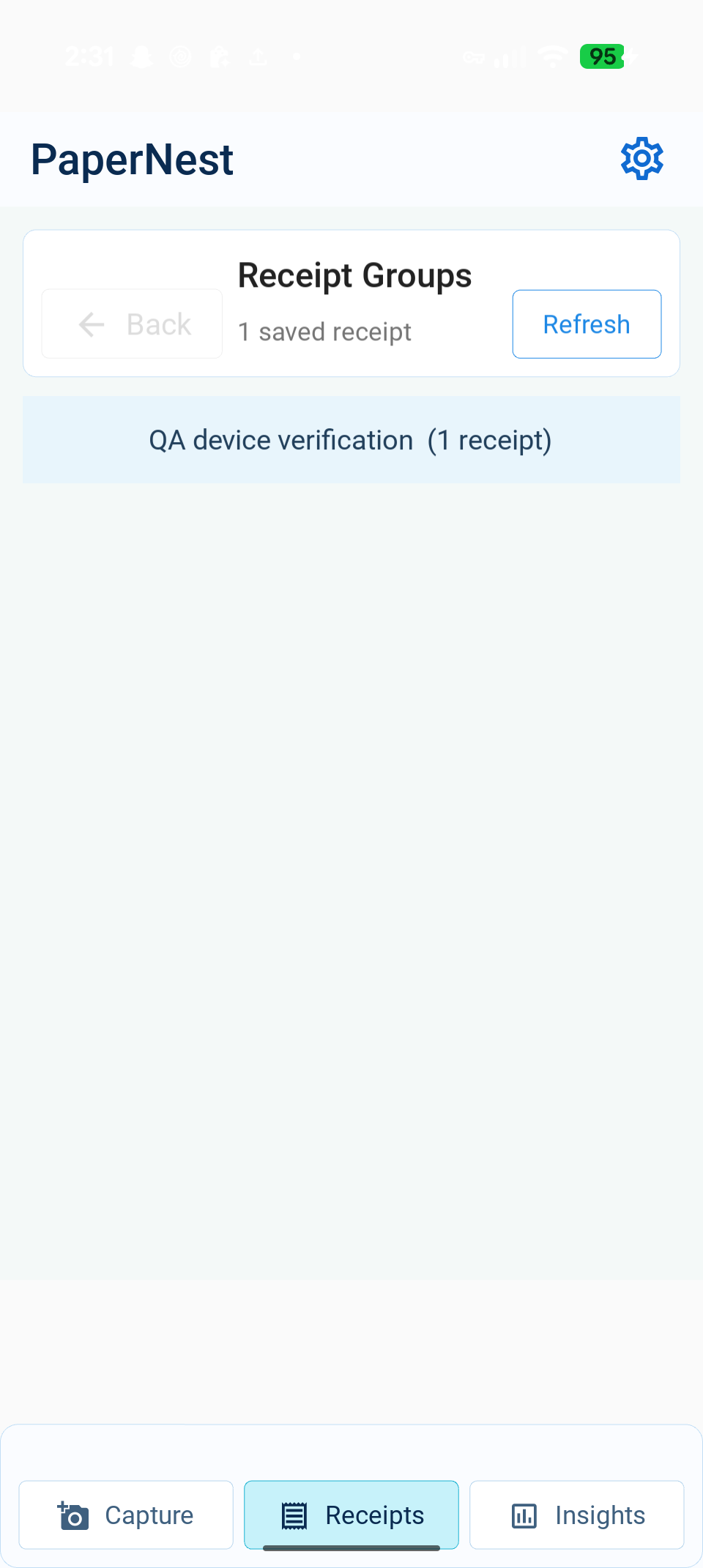
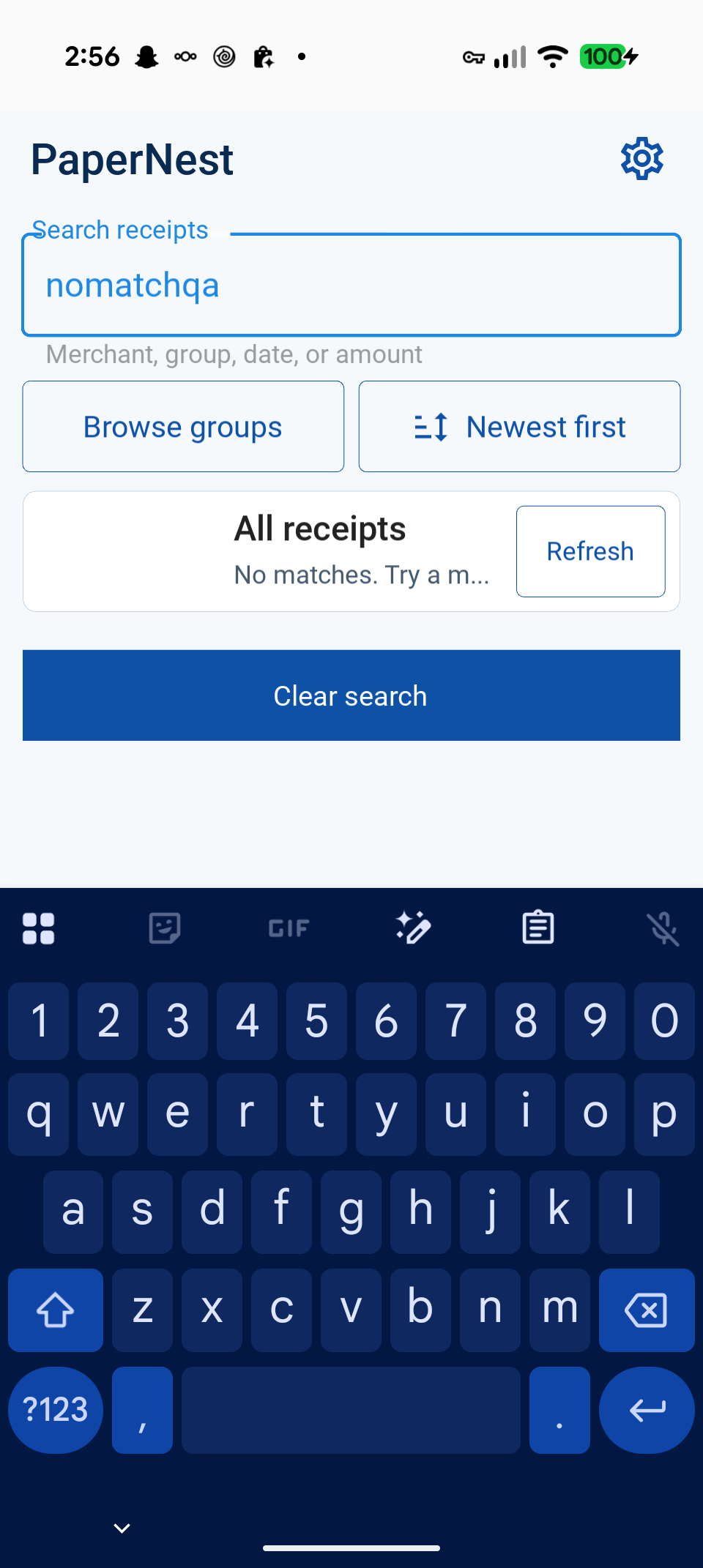
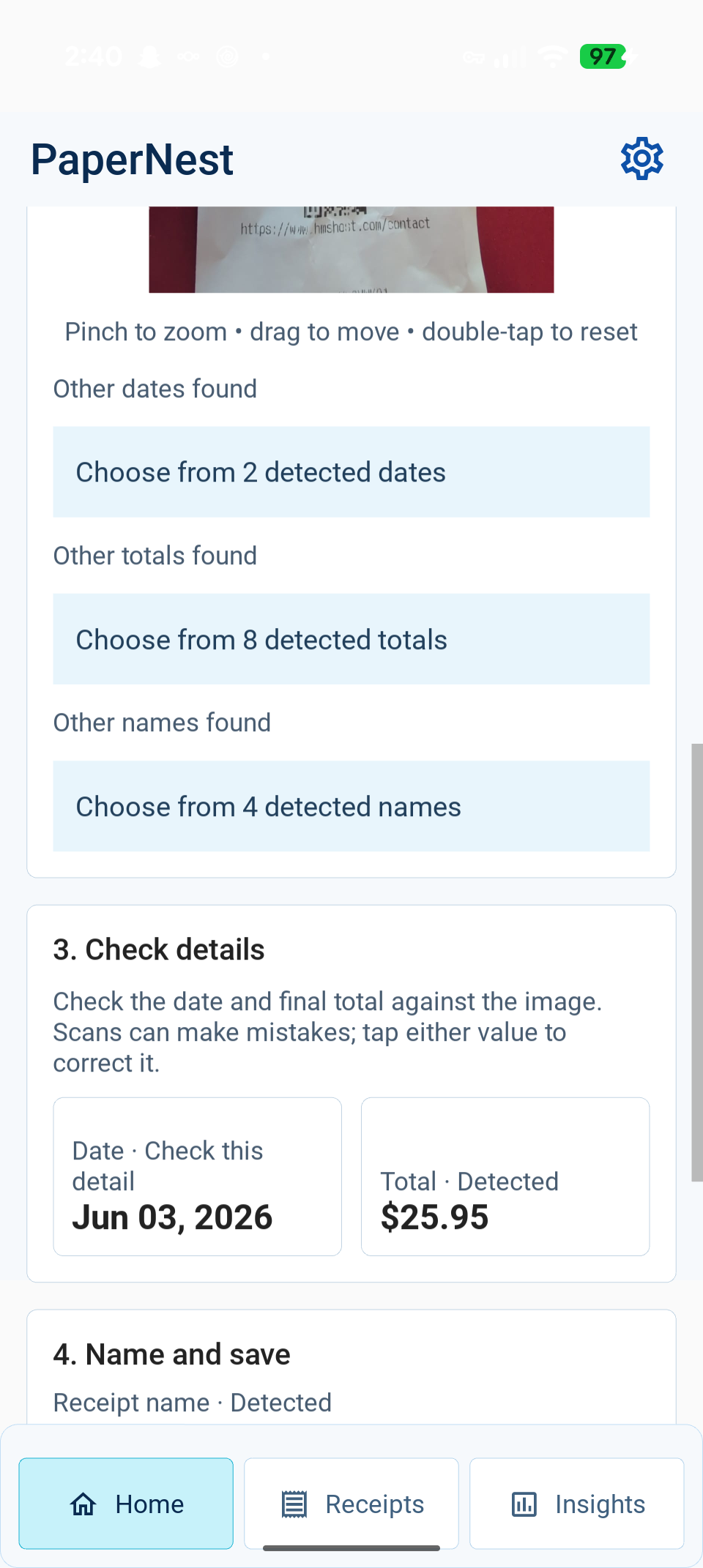
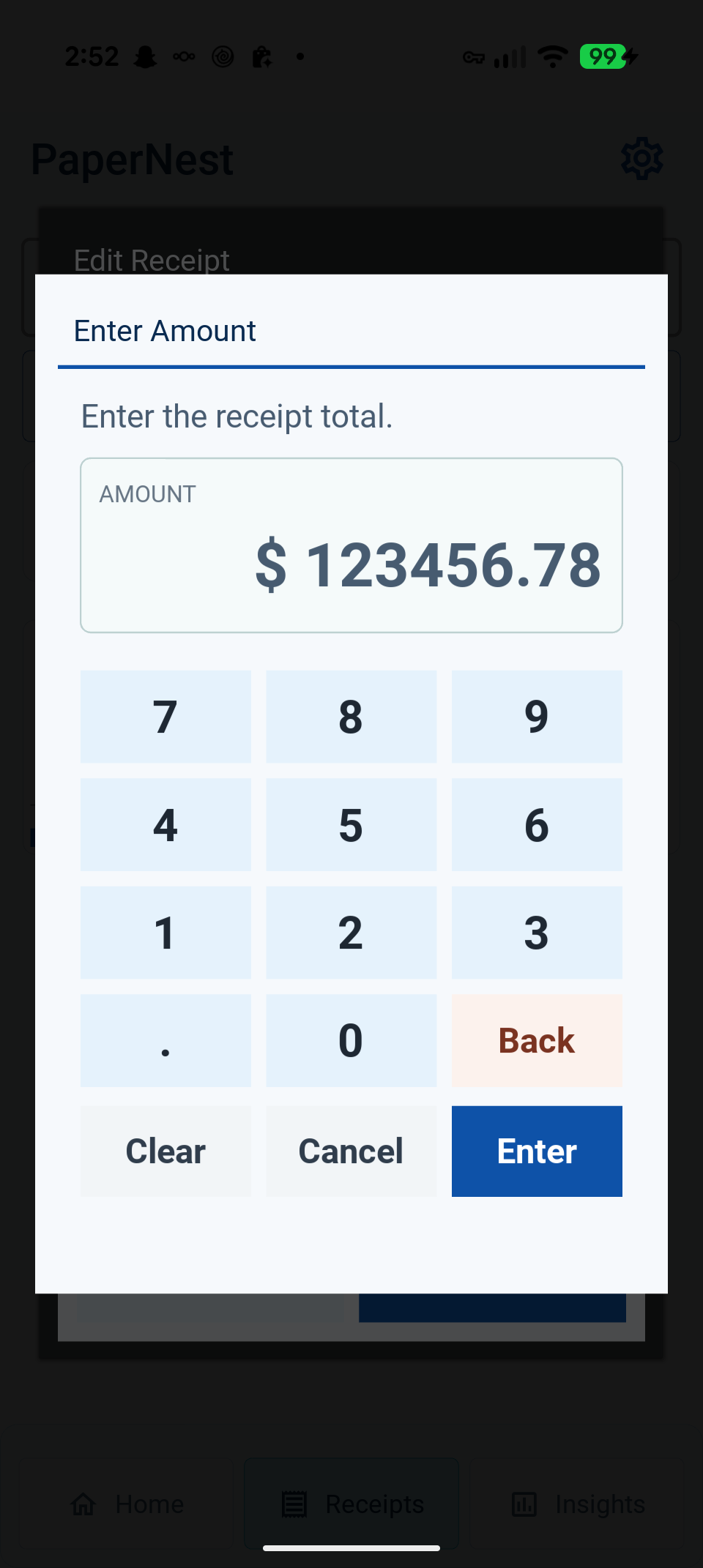
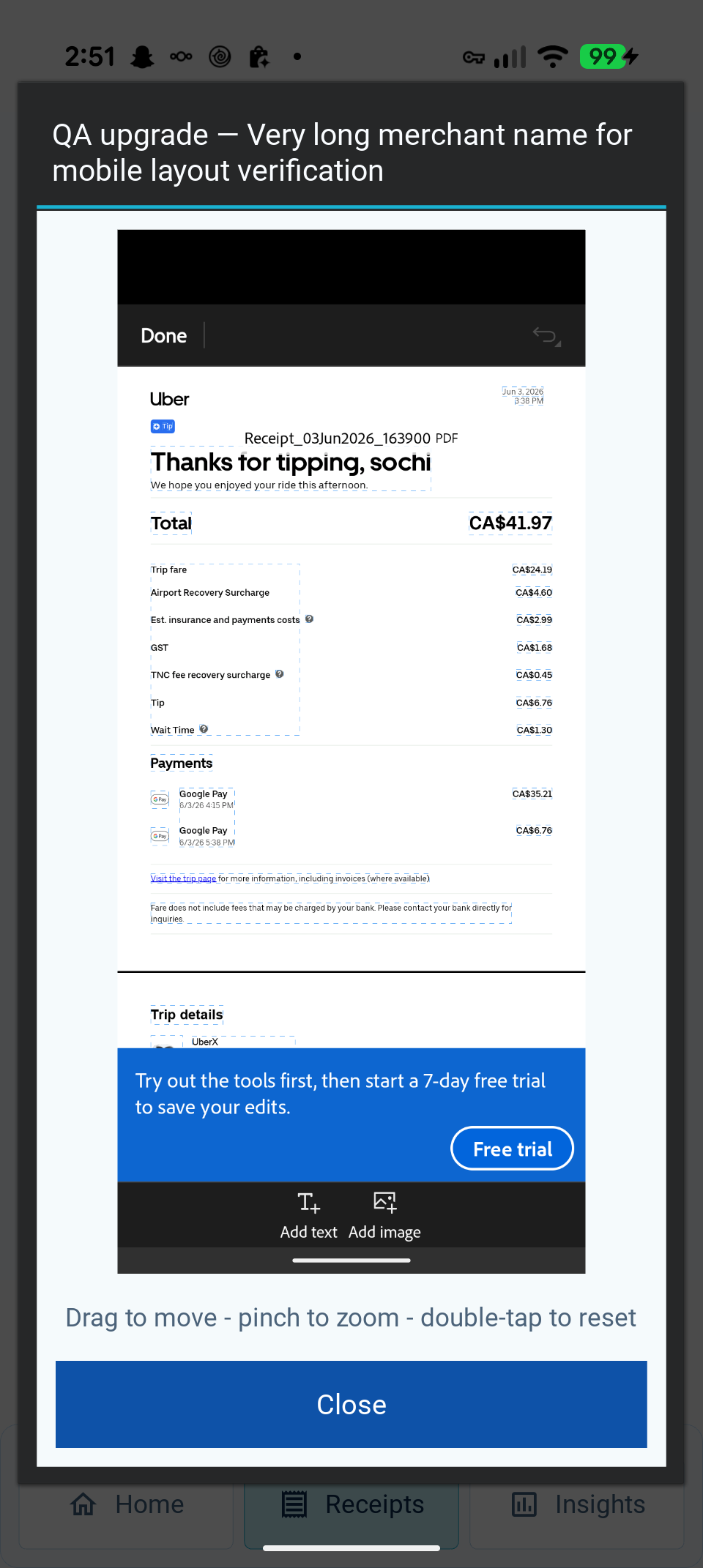
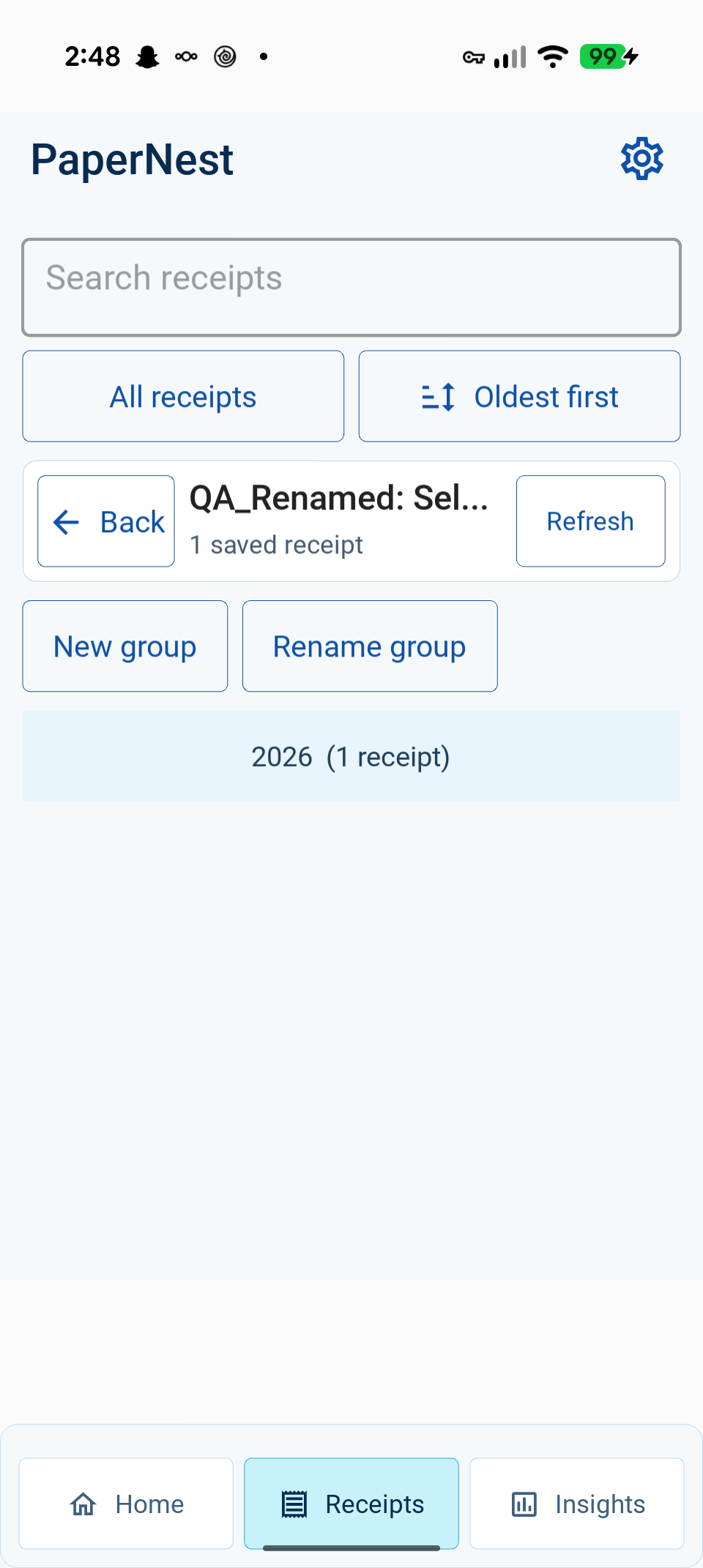
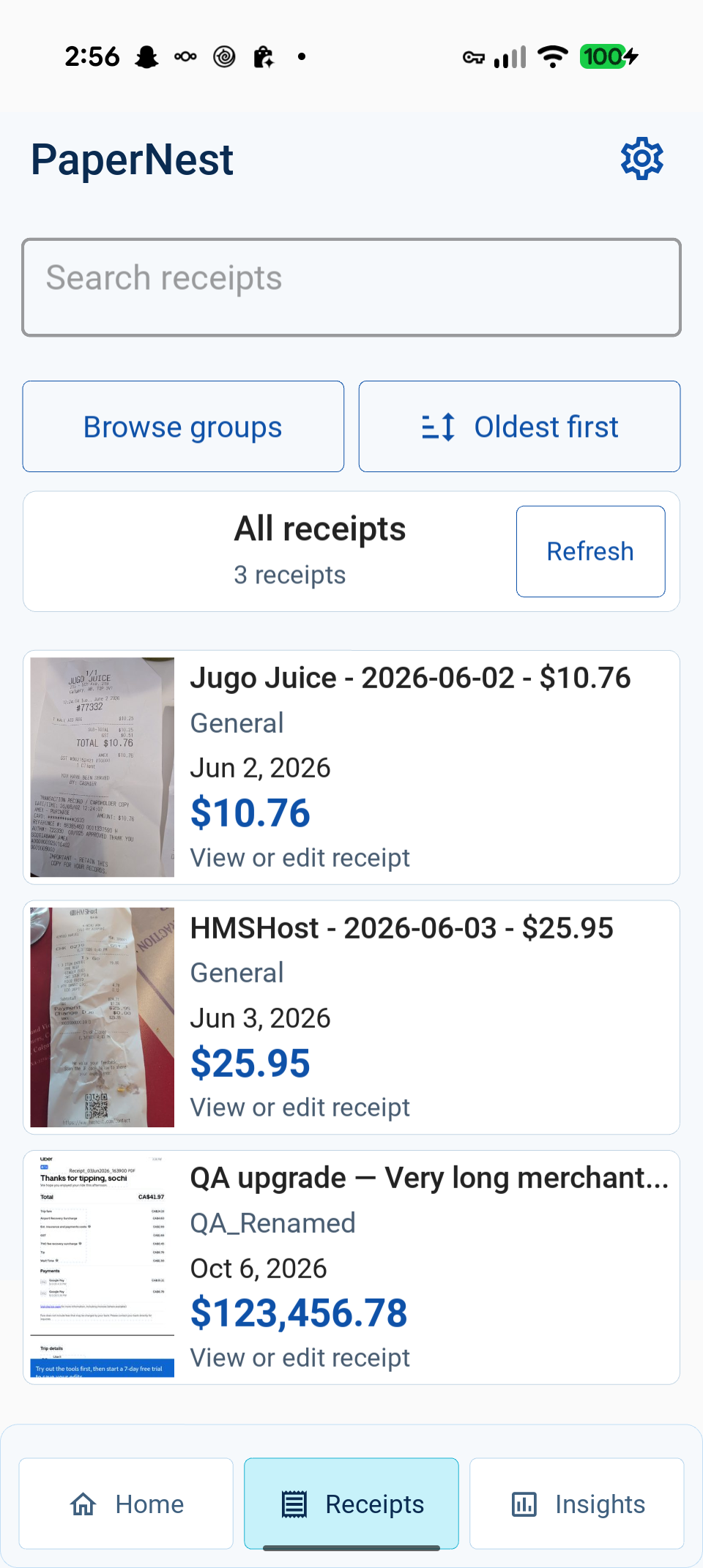
Additional evidence: readable amount keypad, image viewer, and renamed group, two-image batch review, and saved receipts sorted oldest first. The UI report also preserves narrow, landscape, and high-density desktop renders, clearly identified as development-stage checks.
Implemented changes and evidence
| Area | Change | Evidence |
|---|---|---|
| UI | Home summary, clearer primary action, shared design tokens, compact empty capture, review provenance, navigation/back behavior | UI report, phone screenshots in device report |
| Organization | Literal local name/group/date/amount search, five sort modes, group totals/create/rename, bounded results | Organization tests and measurements |
| OCR | Lazy Android fallback construction, explicit field/overall evidence scores, short-receipt early exit, ISO/expiry date handling, bounded known-merchant corrections | OCR report |
| Responsiveness | Default Android decode/recognition/scoring/parsing in workers; generation-safe UI callbacks and verified JNI initialization | Worker regression tests and actual Android verification |
| Images | 512-pixel previews, source metadata invalidation, atomic publication, concurrent size/deletion coordination, unchanged originals | Eight cache regressions and ten-image decode measurements |
| Data | Deterministic connection closure; parameterized queries; tested legacy upgrade and transaction rollback | Eleven organization tests; actual phone upgrade sentinel |
| Packaging | Excluded local agent/configuration directories and benchmark reports from Android source packaging | buildozer.spec and rebuilt APK |
The business/data separation remains intact. The requested
Python code review skill
guided review of concrete resource, concurrency, and boundary issues. UI, image processing,
Android automation, and mobile accessibility guidance and sources are linked in the
corresponding reports. Ruflo used a hierarchical four-role swarm with exclusive edit
ownership; durable decisions/results are stored in its papernest memory namespace.
Actual Android OCR results
Ten existing, filename-labeled real receipts, ML Kit on the same physical Pixel 9 Pro.
Baseline: 1fe104c; final OCR source: af7f1a0. Initialization is excluded equally
from both runs; image decoding, preprocessing, recognition and parsing are included.
Source artifacts: before,
after. Desktop results are separate.
| Metric | Before | After | Change |
|---|---|---|---|
| Date accuracy | 90% | 90% | unchanged |
| Amount accuracy | 100% | 100% | unchanged |
| Merchant accuracy | 60% | 100% | +40 percentage points |
| All fields correct | 50% | 90% | +40 percentage points |
| First-pass success | 0% | 30% | +30 percentage points |
| Mean OCR time | 3,830 ms | 2,602 ms | −32.1% |
| Median OCR time | 3,653 ms | 3,185 ms | −12.8% |
| P95 OCR time | 4,838 ms | 4,754 ms | −1.7% |
| Average OCR passes | 3.4 | 3.3 | −0.1 |
| Fallback frequency | 80% | 70% | −10 percentage points |
| Extraction failure rate | 0% | 0% | unchanged |
The p95 difference is small and should be treated as essentially unchanged, not a robust tail-latency improvement. The remaining Android date miss is the Triple O’s fixture. Known-merchant corrections were developed from this corpus, so its accuracy gain is regression evidence rather than an independent estimate of generalization.
Performance interpretation
The desktop browsing benchmark uses an isolated synthetic 10,000-receipt database, not personal data. Bounded loading avoids constructing all 10,000 models. Warm image previews avoid decoding full originals; first-use thumbnail generation has an explicit cost and runs off the UI thread. See the full measurements.
| Host operation | Before | After | Interpretation |
|---|---|---|---|
| Initial browse fetch, 10,000 synthetic records | 20.276 ms | 0.490 ms | Fetch first 200 instead of constructing all records |
| Mean preview decode across ten images | 9.102 ms | 0.477 ms | Warm cached preview, including lookup; about 95% less work |
| Cold thumbnail creation | — | 16.640 ms | Additional first-use worker cost; originals preserved |
Desktop OCR and Android ML Kit results are separate. Ten real desktop fixtures retain 80% date, 100% amount and 100% merchant accuracy; two date misses remain. A separate synthetic short receipt demonstrates 17 → 1 recognition calls without changing its correct fields. That synthetic result must not be generalized to real receipts.
A stricter confidence gate was rejected because it increased real desktop passes from 7.1 to 15.5 with no accuracy gain. No unmeasured image filters, additional database indexes, direct-bitmap JNI rewrite, or document-scanner integration were added.
Automated validation
The final automated regression run passed 122 tests in 0.560 seconds on Python 3.12 with Kivy 2.3.1 and KivyMD 1.2.0. Coverage includes OCR parsing/evidence and worker cancellation, repository migration/rollback/search, thumbnail races, navigation, manual-edit preservation, system-bar compatibility, and amount entry. These deterministic tests supplement the separate physical-device checks.
Physical checks covered install/upgrade without clearing data, navigation during a running scan, completed Accurate-mode OCR, permission denial, search/clear/sort, keyboard Back, group rename, image viewing/pan/reset, and manual keypad correction. A two-image DocumentsUI import followed by Scan All completed both receipts in 5,431 ms (two complete, zero partial or failed); reviewing and saving each advanced correctly through the batch. This is one observed batch run, not a baseline latency comparison. Device details and cleanup are recorded in the linked device report. The upgrade sentinel retained all original fields across installation. After testing, only the three known QA receipts, QA group and created image files were removed; the initial empty receipt state and default General group were verified restored. Final normal-launch logs contained no Python traceback, fatal Java exception or JNI fatal error. Temporary instrumentation was removed.
Phase evidence
| Phase | Changed files and purpose | Verification |
|---|---|---|
| Discovery | Baseline source 1fe104c, architecture above; existing receipt workflow retained |
Original 58-test suite; baseline desktop and phone OCR artifacts |
| Foundation | views/shared/design.py, views/app.py, root navigation; consistent layout and reliable Back behavior |
UI/navigation regressions, three desktop viewport sizes, physical phone screenshots |
| OCR | business/ocr_service.py, Add Receipt scan dispatch; lazy work, stronger extraction, responsive scans |
OCR and worker tests, ten real desktop/Android fixtures, separate synthetic fixture; OCR report |
| Core UX | Home, Add Receipt, amount keypad, review provenance; clearer entry and correction flow | 122-test suite and device interaction evidence |
| Organization | Repository/service queries and Gallery; direct search/sort and group management | Migration/search/group regressions and 10,000-record measurements |
| Performance | Image-storage previews, bounded loading, worker scans; reduce avoidable work | Before/after browsing timings, OCR artifacts, responsive phone navigation |
| QA | tests/, benchmark JSON and screenshot reports; regressions and upgrade safety |
Full suite, APK upgrade sentinel, real ML Kit runs, UI and accessibility inspection |
Phase-specific reports linked above contain screenshots and measurement details. No startup improvement is claimed from single launch observations, and no full screen-reader support is claimed from visual/accessibility-tree checks.
Reproduction commands
python -m unittest discover -s tests
python tools/benchmark_ocr_receipts.py tests/TestRecipts --json-output /tmp/ocr.json
python tools/benchmark_browsing.py --output /tmp/browsing.json
OCR benchmark exit code 2 means at least one expected field missed, not that the benchmark crashed. Desktop requires Tesseract. Android measurement setup, build provenance, installation, app-private instrumentation cleanup, screenshots, and device interactions are documented in Android verification.
Boundaries and remaining limitations
- Heuristic confidence scores are evidence strengths, not calibrated probabilities.
- Kivy’s Android hierarchy exposes an SDL surface rather than individual native accessible controls; improved contrast/text/targets do not imply TalkBack compliance.
- First-pass success and p95 on ten images are small-sample measurements, not broad production guarantees. Activity launch timing is not time until the UI is ready.
- Physical PDF import, CSV export/share destinations, real camera capture, two-finger pinch, landscape/alternative-density interaction, and prolonged memory/battery behavior were not verified. Desktop viewport checks do not close these phone gaps.
- Search is bounded at 200 by default, with a clear UI limit message; SQLite’s built-in case-insensitive matching is ASCII-based. Advanced amount-range filters are available in the service; the UI keeps search and the existing date/group filters simple.
- Existing batch workflow is preserved. Speculative parallel preprocessing, automatic categories, duplicate merging, and accounting features were not introduced.
- Original receipts and unrelated user edits are preserved. No user database was cleared or app uninstalled as part of device verification.