PaperNest UI improvement report
PaperNest UI improvement report
Scope and baseline
This preserves the existing Kivy/KivyMD application, SQLite data, receipt editor, custom amount keyboard, batch flow and zoom preview.
Baseline flow: launch into capture; take/import images; automatic scan; inspect suggestions; edit date/total/name/group; save; browse Groups → Year → Month → receipt options. Insights offers date/group filtering and export. Main friction: no spending overview at launch, several navigation steps before finding a saved receipt, no text search/sort, a large capture introduction, repeated local color values, and no field-level indication of uncertain scan evidence.
Baseline focused scan-review tests: 5 passed before changes. The coordinator’s full baseline suite passed 58 tests. Desktop startup was measured in isolated app-data directories, with the original source snapshot and current source:
| Single fresh-process observation | Original | Updated |
|---|---|---|
| Import application | 264.80 ms | 224.80 ms |
| Build widgets and services | 187.70 ms | 223.57 ms |
These single samples are diagnostic, not evidence of a startup improvement. No personal receipt database was used. OCR was unavailable on that desktop run.
Guidance used
Ran npx ui-skills start, npx ui-skills categories, and the craft category
router; selected only baseline-ui.
Applied its existing-component, restrained color, clear empty-state action,
inline error, hierarchy and no-extra-animation guidance. Web-only Tailwind/ARIA
requirements do not apply to the existing native Kivy stack.
Investigated mobile-accessibility and its Android reference. Applied readable action text, 48 dp button targets, non-color-only field provenance, and actionable errors. Kivy renders through an SDL surface; this does not establish native TalkBack semantics or compliance. Android accessibility-tree and device checks remain separate evidence.
Implemented changes
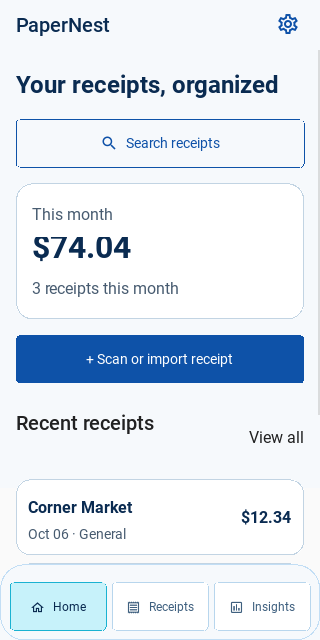
- Home launches with monthly total/count, recent receipts, search entry and one prominent scan/import action. Recent rows open the existing receipt editor.
- Navigation has Home, Receipts, and Insights. Android Back returns to Home, first moving up within group browsing; dialogs retain control and Back on Home retains normal exit. Unsaved capture drafts survive screen navigation. Capture is available from Home; Insights retains date/group reporting and exports. Receipts is the searchable image library, with optional group/year/month browsing.
- Receipts searches merchant/name, group, date and amount using the business service; cycles newest, oldest, highest, lowest and merchant order. The first 200 matches are explicitly identified; users can narrow the query.
- Search is debounced; generation checks ignore stale results. Text results arrive before thumbnail creation, thumbnails arrive in batches, and widget construction yields after 12 cards. Image work remains off the UI thread.
- Groups display totals, include empty groups, and expose creation/rename. General retains its existing protected fallback semantics. Receipt movement continues through the existing editor’s group selector.
- Shared
views/shared/design.pysupplies palette, spacing, size and typography tokens. Shared button rules enforce 48 dp minimums for primary/flat buttons; important screen backgrounds and text use the palette. This is deliberately incremental, not a rewrite of every popup or component. - Capture has a compact introduction; empty preview/detail/save panels stay hidden until an image is selected. Scan suggestions display Detected, Check this detail, Tap to enter, or Edited by you. These are heuristic evidence labels, not probabilities. Manual merchant names that resemble filenames are now also protected from a later scan. Missing-field recovery explains how to enter values or use a clearer photo.
- Existing pinch zoom, image inspection, custom amount entry, file/PDF import, batch navigation, confirmations and export paths are retained.
Verification
- Focused scan/zoom discovery: 17 passed (includes three new review regressions).
- Library/navigation tests: 16 passed, including immediate text-before-thumbnail delivery, stale search/group/home results, retry messaging, and saving the name of an empty custom group through the real popup action, and refreshing Home after editing a recent receipt while the library is busy. A touch ownership/movement regression prevents scrolling recent rows from opening them.
- Gallery image/options tests: 2 passed, preserving full-image zoom access.
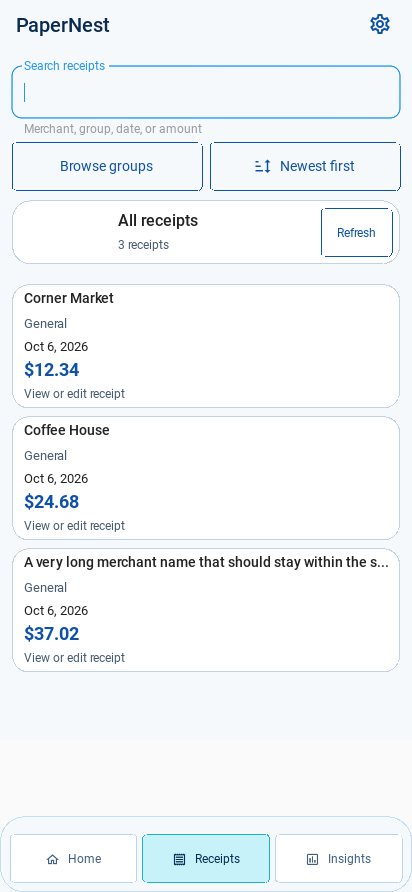
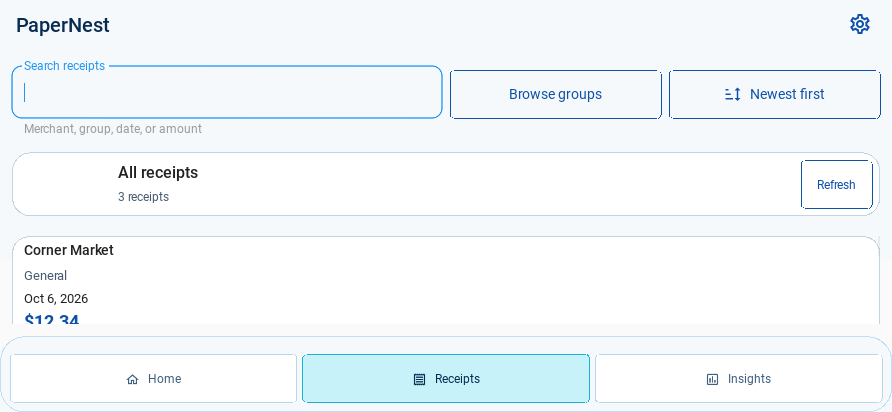
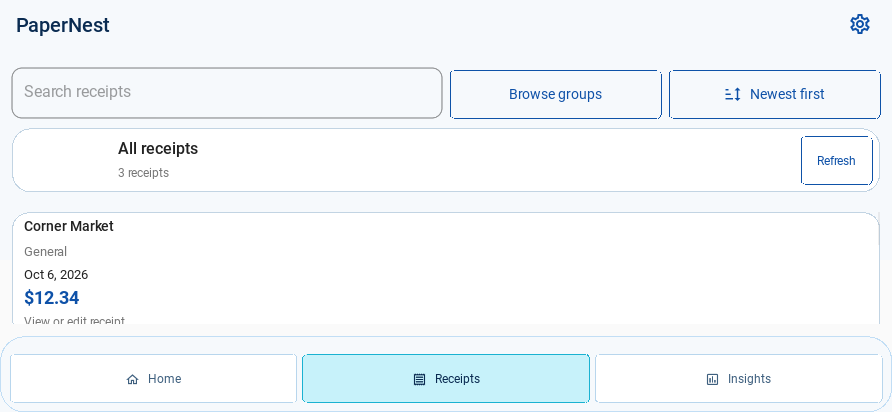
- Real Kivy layouts were loaded and rendered with mocked services at 412×892, 320×640 and 892×412. Narrow labels and a landscape toolbar layout were adjusted from screenshots. Long merchant names truncate within their row; totals have bounded width. These desktop renders do not substitute for phone testing.
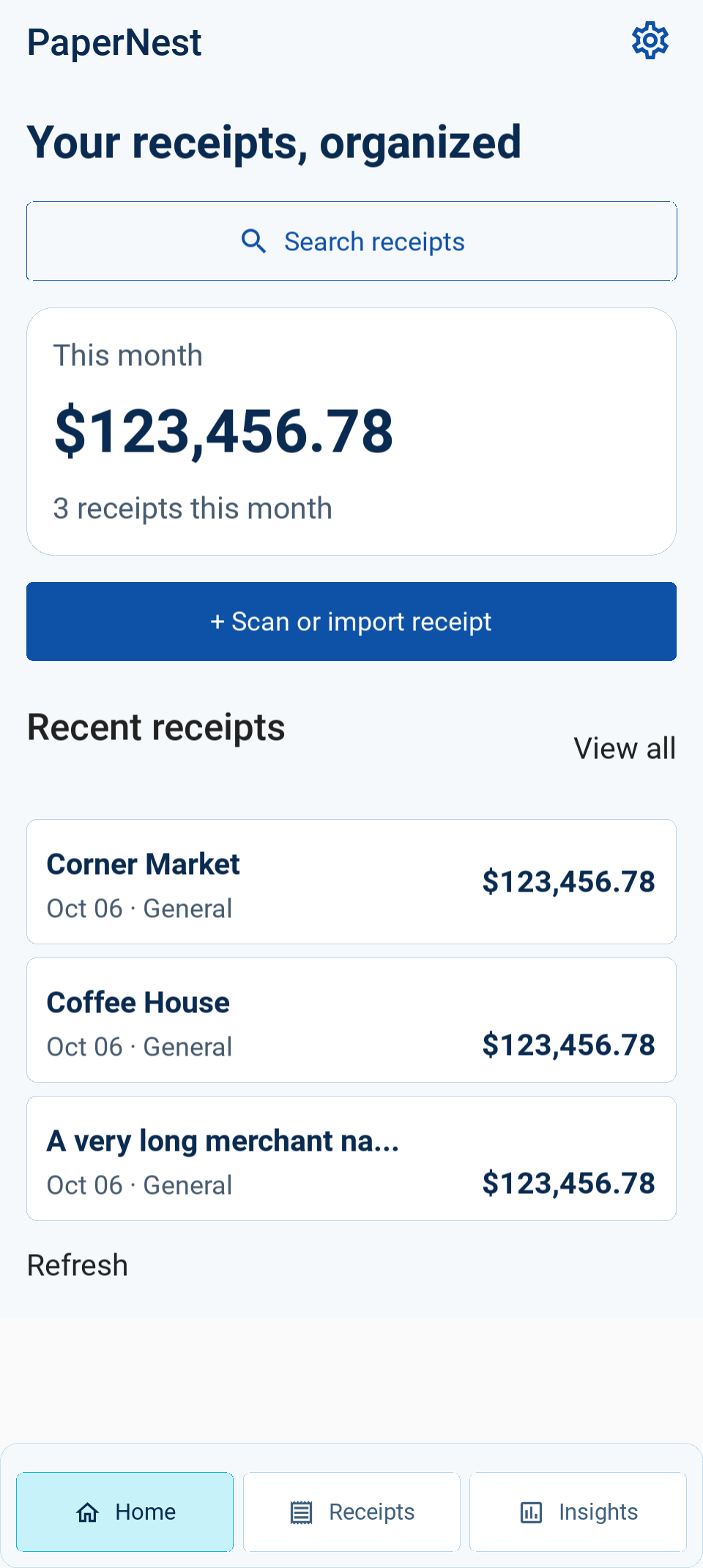
- Archived development desktop renders (mocked services): narrow Home, 320×640, landscape library, 892×412, and Home at 960×2142, density 2.25/font scale 1.15. These record intermediate development layouts, including the high-density total-height correction; the phone screenshots show the installed APK state. No renders were regenerated for this archival step.
Phone findings and corrections
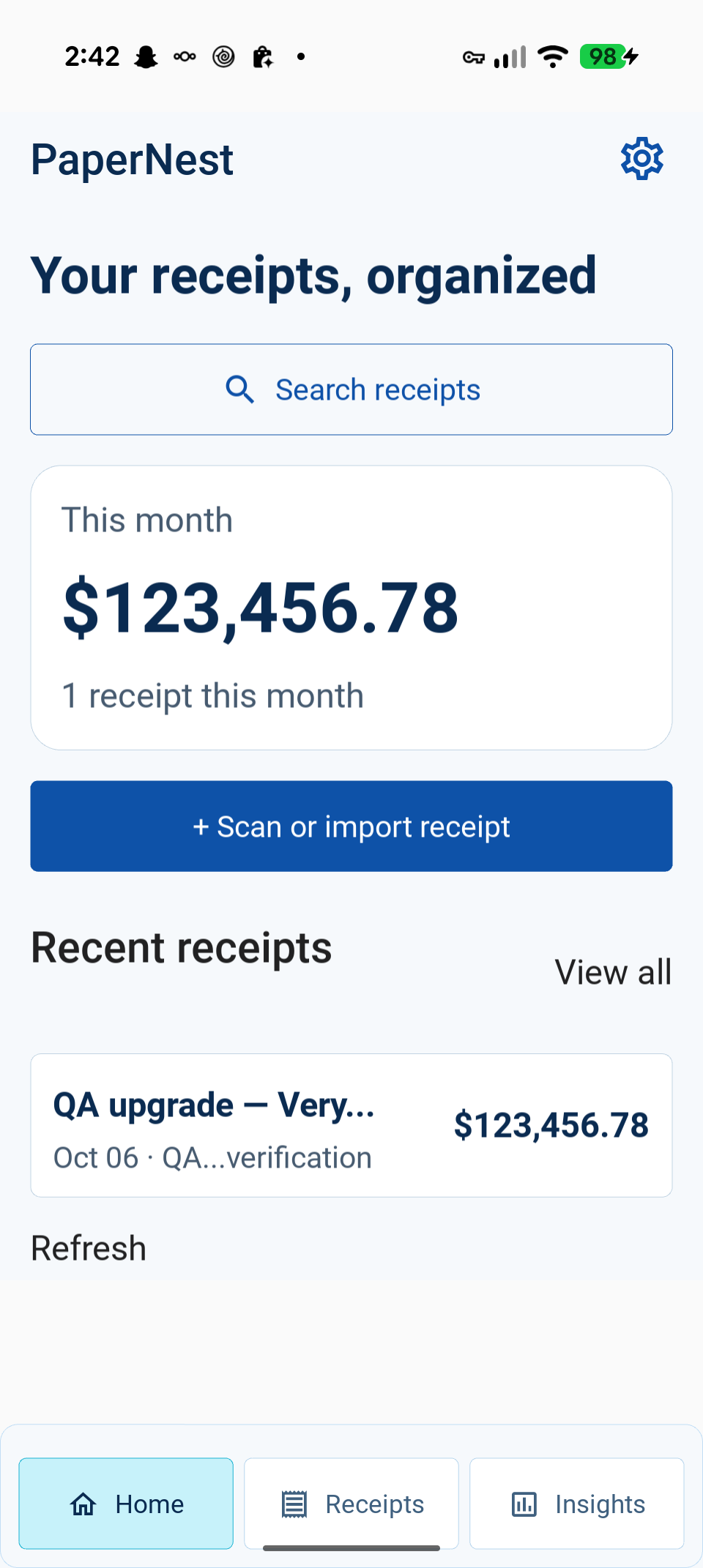
The first updated APK was installed on the connected Pixel 9 Pro. Its Home
screenshot (/tmp/papernest-device-current/home-upgrade.png) exposed clipped
large-total glyphs and the existing white-on-white status icons. The monthly
summary now sizes its labels from rendered text rather than dividing a fixed
height equally. A real Kivy render at 960×2142, density 2.25 and font scale 1.15
shows the entire $123,456.78; the total widget is 115 px tall for a 97 px text
texture. Android system-bar icons are configured on the Activity UI thread on
start/resume using WindowInsetsController
on API 30+, preserving other appearance bits; API 23–29 retains existing decor
flags. The python-for-android UI-thread wrapper
keeps Android View calls on their owning thread. Two mocked API-branch tests
pass. The rebuilt APK was verified on the Pixel 9 Pro: the entire monthly total
and dark status icons are visible in
Home after upgrade. The
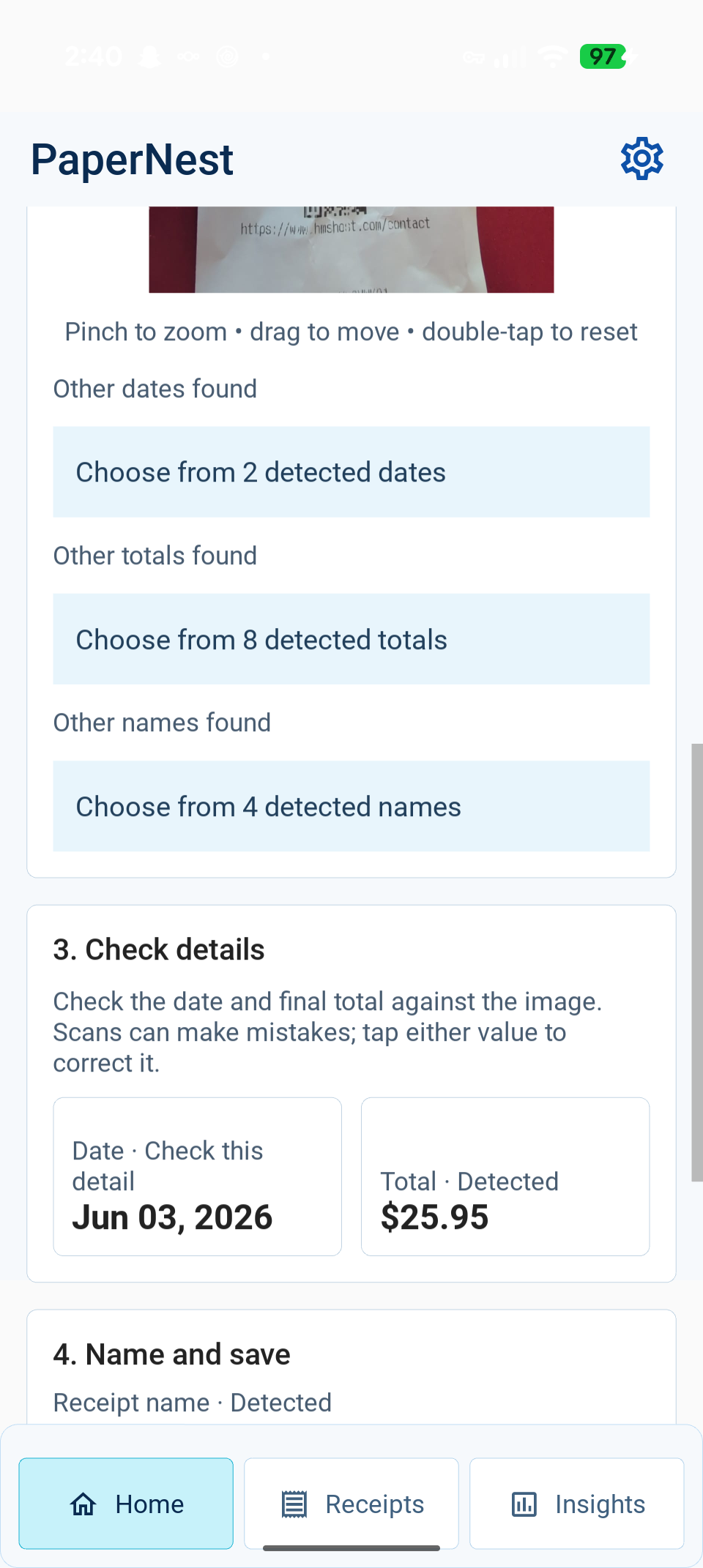
receipt review screen also shows
filled fields and provenance after real Accurate-mode OCR.
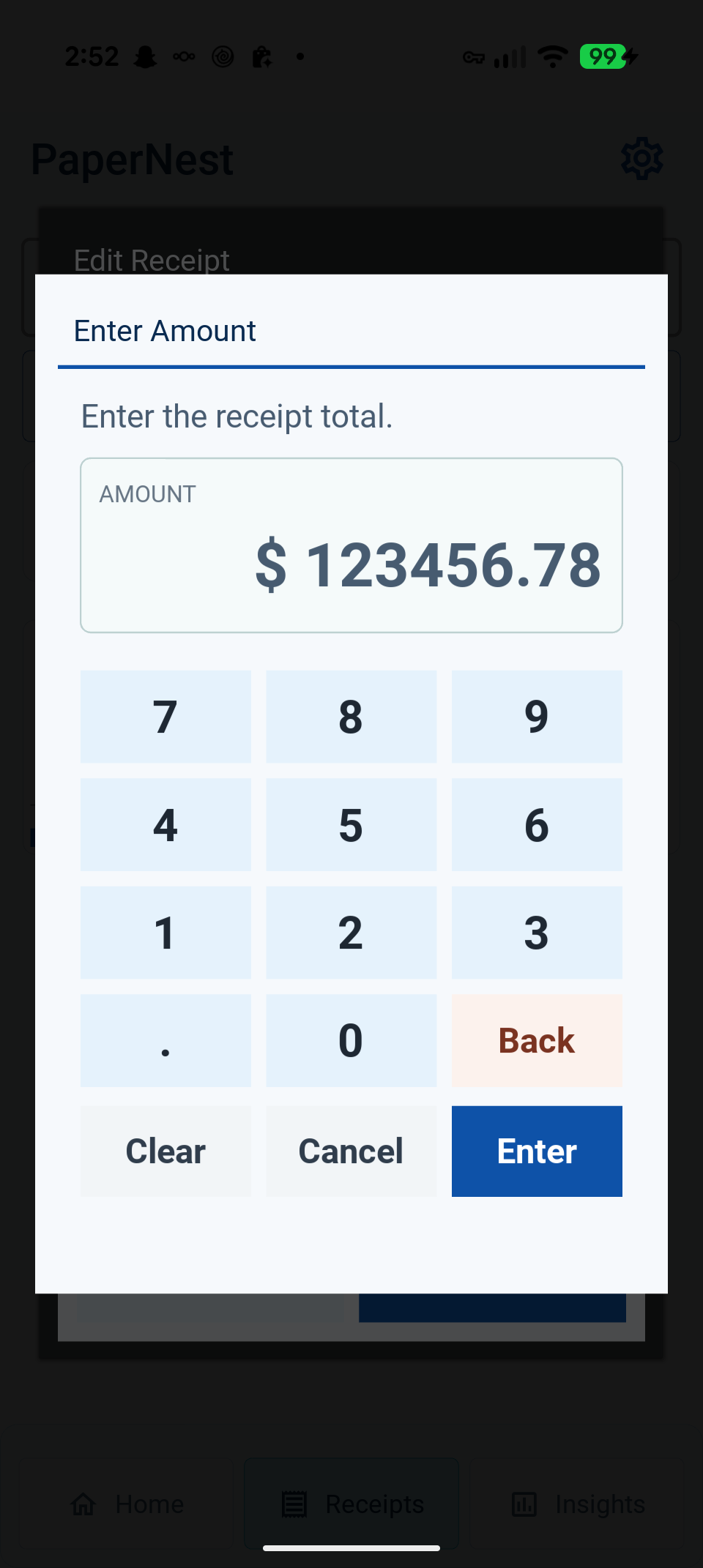
The phone amount-keypad test confirmed successful manual entry but exposed a preexisting dark popup texture and clipped helper text. The keypad now uses a solid light surface, content-sized helper/popup, viewport-capped scrolling and 48 dp action buttons; numeric entry/backspace/clear/apply behavior is unchanged. Three focused regression tests pass, and a high-density real Kivy render checks that the helper text fits. The candidate action is shortened to “Enter amount.” The final phone build verified contrast and unclipped helper text; clear, digits, backspace and Enter were exercised, then the parent receipt edit was canceled. See the amount keypad.
Remaining verification and limits
Phone installation, Home, scan review and manual entry have been exercised; see the Android device report for the complete workflow and log evidence. The final keypad readability screenshot passed physical-device review. TalkBack support must not be inferred from visual checks. The library bounds matches to 200 rather than implementing full virtualization. Group browsing still loads the existing hierarchy and prepares the selected month’s thumbnails before displaying that month. Dates/amounts remain editable; scan confidence has not been calibrated as a statistical probability.
Focused search spacing correction
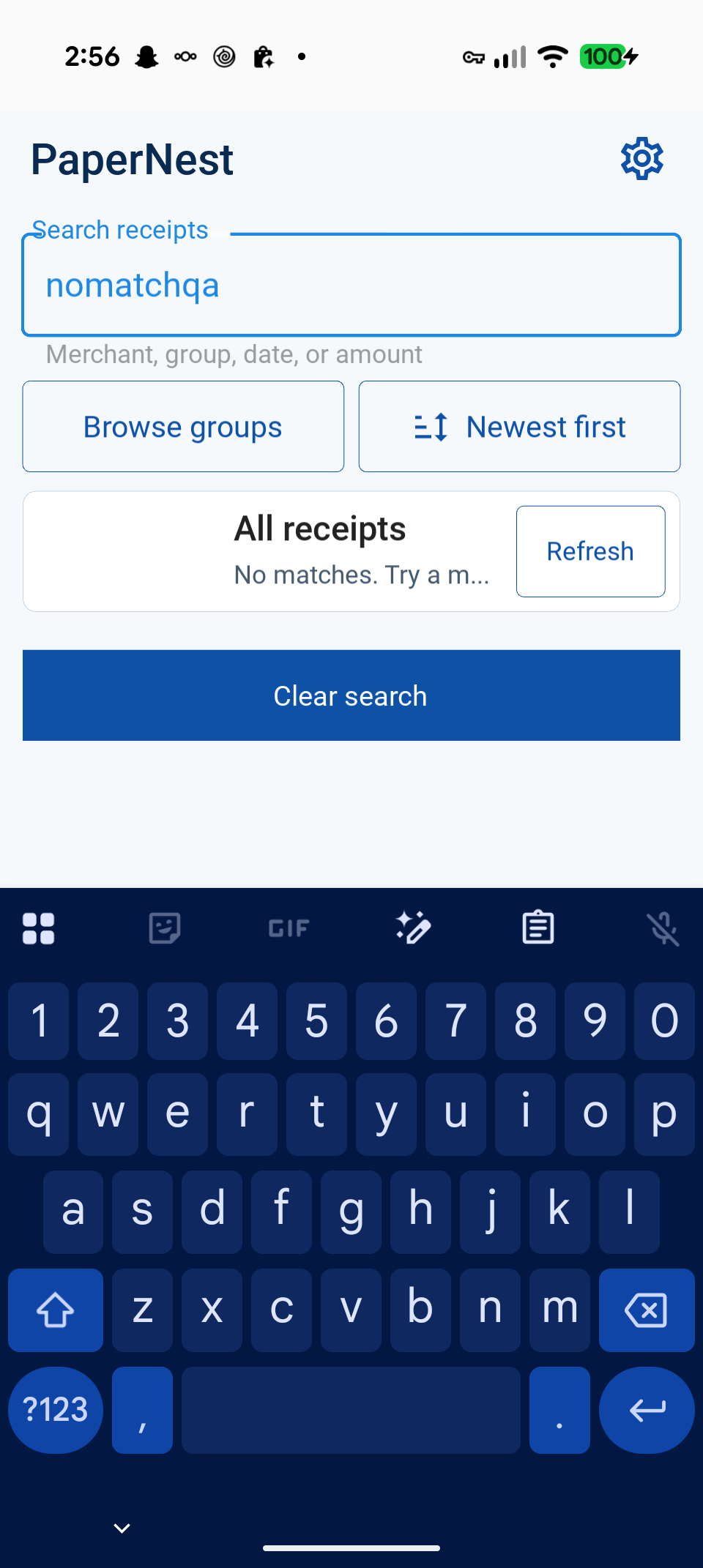
An earlier phone build showed the focused search helper overlapping the Browse groups border. The gallery toolbar now reserves 24 dp between the search field and portrait controls, and 24 dp below the landscape search row. Only toolbar height/spacing/padding changed; search behavior is unchanged. Actual focused Kivy renders show the helper clear of adjacent controls: 412×892 portrait and 892×412 landscape. The final APK was installed and focused search was checked on the Pixel: the helper now has its own clear gap. See the corrected phone screenshot.